Showing posts with label iPad. Show all posts

Monday, June 12, 2017

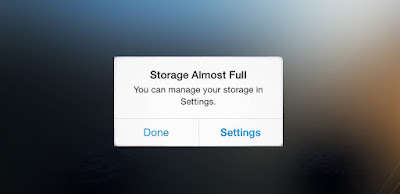
Sick of the "storage almost full" message on your iPhone? Here's how you can free up space in less than 30 seconds!


There's nothing worse than the dreaded "storage almost full" notification and all the panic and anxiety that ensues. Trying to decide which apps to delete can be a daunting task. So if you're short on time, these quick cheats and easy settings adjustments will free up space in your iPhone ASAP. That way you can get back to watching Netflix and reacting to Facebook posts. 

Set your old texts to automatically delete
There's no good reason to save that "hey what's up" message for eternity. But instead of deleting those old garbage texts one by one, simply go to Settings > Messages > Keep Messages. Decide how long you want to keep them around, and your phone deletes the oldies in one fell swoop.

Turn off your photo stream 
Photo Stream combines all the images you've taken on your other devices with the photo roll on your phone, taking up precious MBs. Go to Settings > Photos & Camera, then switch off Photo Stream and revel in those sweet, sweet extra bytes.

Delete your old voicemails 
Go to Phone > Voicemail > Edit, select old voicemails and Delete. Your phone still stores deleted voicemails for no good reason, so make sure that afterwards you scroll down to Deleted Messages > Clear All or all that hard work will have been for nothing

Delete podcasts you've already listened to 
This one's going to be kind of hard to swallow, but it's time to delete Serial off your phone. At this point, you should just assume all parties involved are guilty. Podcasts run around 25 MBs each, so free up some space by going to Settings > Podcasts > Delete Played Episodes.

Clear your browser cache
If you use Safari a lot, it's likely storing a ton of unnecessary web history and data to keep you browser ever-so-slightly faster. Clear that mess in Settings > Safari > Clear History and Website Data. 

Purge your extraneous Instagram photos
You definitely don't need a whole album full of duplicate photos that are already readily available on Instagram. What are you going to do with two pictures of that chicken dinner you made last night? Let it go! Go to your Photos > Edit and delete the Instagram photo album in one go. 

And tell Instagram to stop saving them
This preventative measure ensures Instagram will stop saving photos in a separate album in your Photos app. Open the Instagram app > your profile > Options > unselect "Save Original Photos."

Dump all that offline data 
If you're a Spotify premium subscriber (or pay for similar access to Apple Music or Slacker) you probably save certain playlists for offline listening (so you can rock out underground during your subway commute). But if you're in desperate need of extra space, you'll want to scrap that luxury. There's no on-button-fix-all here; you need to manually uncheck "Available Offline" from any playlist where you've enabled it.
Tuesday, February 16, 2016

Do not set the date on your iPhone to January 1, 1970, unless you want a phone you can't use anymore.

There's an ad-like meme going around, designed to look like it's from Apple, telling people that if they set the date on their iPhone to 1/1/1970 and then power off/power back on the iPhone, then it will present with an Easter Egg...a theme that mimics the classic Macintosh look.

People who are claiming to be in the know say that this is a prank, like charging your phone by putting it in the microwave or waterproofing it. This prank will "brick" your iPhone. (Make it unusable).

As cool as this might look, it’s a hoax, and a particularly nasty one at that. Resetting your phone’s date that far back will so thoroughly confuse your phone or tablet’s operating system that you’ll either need to take it to the Apple store for a replacement, or just buy a whole new phone or tablet.

The date bug affects iPhones, iPads and iPod touches with 64-bit processors running iOS 8 or iOS 9. Apple says it’s looking into the bug. Users can protect themselves with a series of tweaks, such as manually setting their time and date, not enabling automatic time changes, and not turning off their iPhone or iPads.

Here's a screenshot of the meme:
 

Friday, September 19, 2014

Upgrading to iOS 8? Avoid the iCloud Drive bugs.

The new iPhone 6 is here! As usual, with a new iPhone comes a new operating system release. For those of you downloading iOS 8, you may want to avoid using iCloud Drive. After you download iOS 8 and you begin the setup process, at some point you're going to be given the option of signing into iCloud Drive. We recommend you do not do it, as it's not meant to work properly until Apple releases the new Mac operating system.

If you use iCloud to sync documents and other things between your phone and your computer (as most people do) you will lose that sync ability if you activate iCloud Drive today. You can wait on it until October 21st - the date Mac's new operating system, Yosemite, is released. It is important to know that iCloud Drive, once activated, can't be reversed - you can't turn it off and go back.

Over all, iOS 8 is without question the most comprehensive, detailed upgrade that Apple has ever offered to its iPhone / iPad software. You are probably going to need to find somebody that can give you a tutorial on this. There are things throughout this operating system that, if you just wait to discover them, could take you six months to go through them all or find them all.

Friday, June 6, 2014

Big changes are coming to the iPhone messaging platform.

Apple's next mobile operating system means significant changes for how iPhone users send and receive messages.

If you're an Apple user, this is a big deal. Messages is the most frequently used app in iOS, and is how most users share texts, photos and videos with each other.

With iOS 8, coming this fall, Apple is borrowing features from popular messaging platforms like Snapchat and WhatsApp while unveiling some new tricks of its own.

Here's a quick look at the new messaging features announced at Apple's Worldwide Developers Conference...

Audio and video messages
The text window in the next version of iMessage will contain a little microphone button. Users hold a finger down on the button, record a short audio or video message, and send it with the swipe of a finger, all without leaving the app.

In this way, Apple is taking a page from WhatsApp, which also allows audio and video messages. Facebook bought that startup, which has a huge user base overseas, in February for $19 billion.
Audio files will appear in your Messages stream as jagged lines. Simply tap on them to listen to the message. Apple did not say Monday whether there will be a limit on the length of the messages.

Self-destructing messages
Photo and video messages that disappear after a few seconds have been popularized by Snapchat, the mobile messaging app that reportedly spurned multibillion takeover offers from Facebook and Google last year.

This ephemeral format has been especially popular with teens and young adults who like to exchange silly or racy messages without fear they'll be haunted by them later.

Now Apple is getting into the game. Audio and video messages within iOS 8 will automatically vanish within a few minutes unless you adjust your settings.

"You don't want to have to clean these up. Audio and video messages can take up space," said Greg Joswiak, head of iOS product marketing. "So they're set to self-destruct unless you choose to keep them."

Do not disturb
Sure, group messaging threads among friends can be fun. But sometimes all the back-and-forth chatter gets out of hand.

This feature lets you mute a thread for a while while reserving the option to rejoin the conversation later.

If you've ever been on one of those noisy threads that just keeps buzzing in your pocket, now you will be able to choose when to leave.

Lock-screen functions
If you're in a hurry, responding to a message on an iPhone can be a little cumbersome: You have to punch in your passcode and then hit the Messages icon just to get started.

With iOS 8, users can listen and respond to audio messages without leaving the lock screen -- just by holding the phone to their ear. The phone detects when it's next to your face, plays the message and lets you record a brief response. Lower the phone, and the message is sent automatically.
 
Other stuff
If your contacts choose to share them, their locations will pop up in group-messaging threads.
For the first time, users will be able to add or delete someone in the middle of a group-messaging thread.

And message attachments - images and videos mostly - will be collected in one place so you don't have to scroll back through longstanding threads to find them.

Source: CNN Tech

Friday, May 9, 2014

Out of storage on your iPhone or iPad? Here's how to add more space cheaply.

Apple's devices infamously rely on fixed storage. If you need more space, well, too bad.

Granted, you can try a utility like PhoneClean, which can reclaim some space , but that gets you only so far. For any kind of significant storage boost, you have little choice but to upgrade to a more capacious iPhone, iPod, or iPad.

Unknowingly to many, you do have one other option. A growing number of devices give you extra space for music, movies, photos, documents, and other data, and some of them are surprisingly affordable. How? With wireless card readers (also known as media hubs), which connect via Wi-Fi to your devices. So instead of popping a microSD card inside your iPhone or iPad (which, of course, is impossible), you pop one into an external drive you can keep stowed in a bag, pocket, etc.

Suppose, for example, you're taking a long trip. You want to bring along your entire music library, not just the handful of playlists that fit on your 16GB iPhone 5, and enough movies to last you through two or more long flights.

With one of these readers, you can stock, say, a 32GB SD card with more than enough songs and videos, while still leaving space on your Mini for apps and other stuff. And several models support USB flash drives as well.

Here's how most of these devices work:
Step 1: Connect the reader to your PC, then fill it with any and all media/data you want to bring along.
Step 2: Install the companion app that goes with the reader.
Step 3: Run the app, then connect to the reader. Now you can stream your media, view your photos, access your documents, transfer files, and so on.

One key feature to look for when shopping for a wireless reader is a pass through option, which allows your device to stay connected to a Wi-Fi network while simultaneously connected to the reader. Otherwise it's a huge hassle to disconnect and reconnect all the time.

IES currently offers two products that will help you with your storage needs:

The Iogear MediaShair Hub sells for only $99.95. It is no larger than a deck of cards, looks like a miniature router, and can double as a mobile access point. The MediaShair accommodates both SD cards (or microSD with an adapter) and USB drives. It works quite well with iOS devices, even if its app is a little clunky to use and not great as a music player. You can even top off your iPhone's battery by plugging directly into the MediaShair's USB port.

Our other option is the RAVPower FileHub 5-in-1, which sells for $74.95 and includes a larger battery than the MediaShair. It offers both Wi-Fi hot-spot and NAS features, and works with both SD or microSD cards, and USB drives.

In an ideal world, Apple devices would have expansion slots. Why pay monthly for cloud storage when all you need is a $75-$100 card reader and some inexpensive memory cards / flash drives?

Interested? Find out more about these two products using the links below:

Friday, November 1, 2013

7 signs that your child is an iPad addict...

Withdrawal symptoms and cravings may seem like the province of hard-drug addiction, but increasingly, psychologists are noticing these same signs of addiction in people who use devices ranging from smartphones to tablets.

And as more and more households get iPads, more children may start to get hooked.  In April, reporters pounced on a story about a 4-year-old who was seeing a therapist to kick her iPad obsession.

The Diagnostic and Statistical Manual of Mental Disorders V (DSM-V), sometimes called the psychiatrist's "bible," has not officially added Internet gaming to its roster of disorders, but it's under consideration. And it's likely that iPad, smartphone or other device addiction will be viewed similarly as more data show their harmful effects, Amitay said.

From physical withdrawal symptoms to losing touch with the outside world, here are seven signs your child may be hooked on the iPad:

1. Withdrawal

Withdrawal from heroin or alcohol causes headaches and the shakes, but device addiction has physical withdrawal symptoms as well. In a 2011 study, researchers asked 1,000 college students around the world to go 24 hours without using their smartphones, other mobile devices or the Internet. Many reported symptoms such as anxiety and depression, and one anonymous student even said he or she was "itching like a crackhead" from the longing to use a phone.

If your child is irritable, anxious or sad after having the iPad is taken away, he or she may have an unhealthy attachment to the device.

2. Tolerance

Just as heroin addicts need bigger and bigger hits to get the same effect, iPad users can also develop a tolerance.

3. Loss of interest

If children who once loved playing soccer, picking on their kid brother, or climbing trees have lost interest in all those activities in favor of hours of "Air Hockey Gold," it may signal a problem. (An occasional preference for the iPad over other activities isn't a problem; the screen craving has to be crowding out everything else to a significant degree).

4. Lack of control

Addicts typically have an inability to control their usage. And though 4-year-olds are not known for their self-control, children may have a problem if parents have a really hard time taking the tablet away from their child without a huge meltdown. On the other hand, parents of young children should be able to set limits.

5. Deception

Have you caught Henry hiding underneath the kitchen table hunched over a lit-up screen, playing his favorite game? Yes, another red flag of addiction is children lying about iPad use, sneaking the iPad into their bedroom or other hideout, or otherwise deceiving family members to get more screen time.

6. Trouble dealing

Addicts often use a substance or an activity as a way of escaping from a negative mood or feeling.

Kids who are using the iPad to avoid dealing with sad, stressful, or negative emotions could have a problem. For instance, if your kid always grabs the iPad after a fight with a sibling or a parent, he may be coping with his negative emotions using the iPad.

7. Losing opportunities

Losing significant relationships, failing in school, or performing poorly at work are all signs of addiction. Though young children have probably not lost their shot at the corner office as a result of too much Candy Crush Saga, they may be losing friends or their grades may be slipping.

Normal or not?

For all these symptoms, it's important to note that mentally healthy children, especially young children, become slightly obsessive about any new activity.

In young children especially, most symptoms of iPad addiction can be short-circuited early on if parents set limits, create consequences for excessive use and provide daily structure for their children. The fact that parents have trouble taking an iPad away from a 3-year-old doesn't necessarily mean they have a toddler addict; it means the parent have trouble saying no.

*We at IES, Inc. are not psychiatrists or doctors. Under no circumstance should this article be considered as medical advice.

Source: Yahoo News

Tuesday, September 24, 2013

New Android software lets users unofficially tap into Apple's iMessage service, with security concerns.

A functional version of Apple's iMessage has arrived on Google's Android platform, though not with Apple's blessing, or without potential security risks.

The software is called iMessage Chat and was created by developer Daniel Zweigart. Users enter their Apple ID and password credentials and can text with registered iMessage phone numbers and e-mail addresses freely.

Per iOS developer Adam Bell, the service appears to be tricking Apple's iMessage server into thinking it's a Mac Mini -- Apple's entry level Mac desktop -- in order to send and receive the messages. Jay Freeman, the creator of the third-party App Store alternative Cydia believes the app is piping the data through Chinese servers as well.

We are urging all Android users to avoid installing this software or offering their Apple ID account credentials.

What is iMessage?
Apple introduced iMessage alongside iOS 5 in 2011. The messaging service lets users on iOS devices and Macs chat with one another like they would send a text message. The service is not tied to any carriers and has been designed to work on non-cellular devices like Wi-Fi-only iPods and iPads.

The iMessage protocol has remained exclusive to Apple devices since its debut, mainly serving as a way to keep users locked into Apple's ecosystem of devices. BlackBerry used a similar tactic with its BBM service, which was set to arrive on iOS and Android devices this past weekend, but now faces a delay.

Source: CNET

Thursday, September 5, 2013

Own an Apple device? Get ready for the iOS 7 release Tuesday.

Like it or not, your Apple mobile device is going to look and act differently within a few weeks.

On Tuesday, Apple will introduce the latest iPhone, and part of the tradition of the new device introduction is an operating system update that, at some point, most of us upgrade to. So even without springing for the new phone, your older iPhone gets a free new coat of paint — and potential pain — with tools in different places and different ways to access apps.

Unlike past upgrades, iOS 7 is a from-the-ground-up overhaul. Apple CEO Tim Cook calls it "the biggest change to iOS since the introduction of iPhone" in 2007.

Basic functions have been altered. For instance, to go from one e-mail to the next, instead of swiping to the left or right, you swipe upward and downward. For consumers, "It'll be a little shocking at first," says Evan Spiridellis, who runs the JibJab e-commerce company with brother Gregg. "It's a totally new feel."

Developer Joel Housman of Alexandria, Va., says consumers will also scream loudly, in the negative, upon the iOS 7 release, much as "every time Facebook makes an interface change, they complain about it."

It takes most consumers time to learn the intricacies of a new device, he says. The iOS overhaul will force folks "to learn how to do things differently" even on their current phones.

There are 600 million Apple mobile devices in use worldwide — including just over 60 million of last year's new model, the iPhone 5. So way more people will upgrade to the new operating system then pick up the new phone, which is expected to be in stores by the end of September. The last update was widely accepted: IOS 6 is installed on more than 93% of Apple devices, according to the company. The new update works on devices back to the iPhone 4, the iPad 2 and fifth-generation iPod Touch.,

Apple will begin reminding folks, when iOS 7 is available, that it's time to upgrade the software.
The iOS 7 launch comes in a year when Apple's once-strong lead over competitors has begun to fade. Google's Android — and the hot-selling Samsung Galaxy series of smartphones — now dominate worldwide, although the iPhone has the edge here in the United States.

Beyond a new coat of paint and stylistic upgrade that will see buttons and icons in new places, look for:
  • Instant app updates. In the past, you had to manually update each app when changes were offered. Now they'll be done automatically in the background. 
  • Control Center. The eight most commonly used features will reside on the Control Center screen, which can be accessed by one quick swipe. So instead of going to the Settings icon, opening it up and turning on Wi-Fi or Bluetooth, you'll find those options in Control Center, along with Flashlight, Camera, clock and calculator. 
  • Instagram-like features in the camera app. Filters to pretty-up photos are added, along with the ability to shoot photos in a square format. That means you won't have to crop your pictures anymore for inclusion in Instagram.
Van Baker, an analyst at Gartner, says Apple had to make the software change. "The trade press was getting very negative to how stale and old-looking iOS was," he says. "In truth, most users don't care. Nonetheless, it was worthwhile to do it and give it a fresh new look."

And Gregg Spiridellis says despite the pain some consumers might feel initially, it will be worth the upgrade. "It feels like you have a new phone," he says. "It's that freshness of getting something new, even though you didn't have to pay for it."

Source: USA Today

Tuesday, August 13, 2013

Fraud is on a whole new level with these "geniuses"...

Here's the plan. We'll take some ice cubes. We'll stuff them into parcels. Next, we'll take the parcels to our local post office.

Now here's the clever part. We'll say they're iPads, send them as special delivery and insure them for 2,500 British pounds (almost $4,000). Then we'll say the iPads never got there and claim compensation.

What can possibly go wrong?

You might think I have lost the passcode to my faculties. However, the plan I am describing was precisely that followed by two gentlemen who wanted to make a little money.

Their names are Nathan Meunch and Nigel Bennett. As the Mirror reports, these two cunning Brits executed this plan to near-perfection.

They did, it's fair to say, strike an early obstacle.

Elaine Sloane, the lady at the post office in Telford, U.K., explained: "I just happened to say to the gentleman: 'Is it raining outside?' and he said yes. But it seemed strange to me because I could see from where I was sitting it didn't look like it was raining."

Meunch, you see, had areas of damp adorning his jacket.

Still, Sloane took the parcel. However, a short while later there was dampness among the parcels marked for special delivery.

This was caused by the melting iCubes.

Sloane revealed to the Shropshire Star: "We had a little look and you could see all ice in there. He had sent it as iPads and I couldn't believe it was all this water and the box was disintegrating."

Still, the parcel was secured and actually sent. Sticking to their plan, a claim for compensation was duly filed by Meunch.

Oh, but staff at the post office had already noted the parcel's dubious nature. So when the claim came in, the authorities were ready.

Bennett's lawyer said that his client was short of money. However, in a less than spirited defense, he also described the plan as "rather pathetic."

The two men were found guilty of fraud Monday. Their punishment was to go and work at Foxconn for a year. I am sorry, I don't have that quite right.

In fact, they were given a 12-month community order -- they must spend time working in the community. They must also spend 150 hours working in court.

This whole plan almost makes the people who sold wooden iPads for $180 seem like savvy entrepreneurs.

Source: CNET

Thursday, June 6, 2013

In recent Apple vs Samsung news...Samsung has won!

Apple won the biggest battle in its endless patent war with Samsung, but now it's Samsung's turn to be victor. A trade agency ruled Tuesday that several older Apple products violate a Samsung patent and can't be sold within the United States.

The International Trade Commission's long-awaited ruling bans Apple from importing or selling the AT&T compatible models of the iPhone 4, 3GS and 3, as well as the AT&T 3G-connected versions of the iPad and iPad 2.

Those products, which are assembled overseas and must be imported, infringe on a Samsung patent for encoding mobile communications, the ITC ruled.

The ban does not affect the newest generation of Apple's products, the iPhone 5 and the fourth-generation iPad, which use different technology than the earlier devices.

The commission did not find that Apple violated any of the three other patents Samsung named in its case. But the rest of the ruling is a big blow to Apple and it comes as a surprise, given that a previous preliminary ruling from an ITC judge exonerated Apple completely.

This time, the "determination is final, and the investigation is terminated," the ITC wrote in its decision. Apple can file an appeal with the Federal Circuit, however, and spokeswoman Kristin Huguet said the company plans to do just that.

Apple can also hope for a veto from President Obama. The ITC is required by law to send its "exclusion orders" to the president for a 60-day review. Unless President Obama actively strikes down the order, it becomes final.

Because Apple plans to appeal, Tuesday's decision "has no impact on the availability of Apple products in the United States," Huguet said.

She slammed Samsung for "using a strategy which has been rejected by courts and regulators around the world" in other cases. She also accused Samsung of trying "to block the sale of Apple products by using patents they agreed to license to anyone for a reasonable fee."

A Samsung spokeswoman fired back that the ITC's ruling "has confirmed Apple's history of free-riding on Samsung's technological innovations." AT&T declined to comment.

Last year, a California jury found that several Samsung products infringed on Apple patents for software features like double-tap zooming and scrolling. The jury initially recommended that Apple be awarded more than $1 billion in damages. A final ruling in that separate case isn't expected until later this year.

How's that sweet revenge taste, Samsung?

Source: CNN

Thursday, May 23, 2013

Microsoft scores a slam dunk for Windows 8 tablets as Siri slams the iPad in a new ad.

In the latest Windows 8 news, Microsoft has shifted gears to take aim at Apple.

In this new 30 second ad, you see Siri taken hostage and forced to tell the truth...The truth as Microsoft sees it, that is.

Tuesday, April 23, 2013

Some toddlers now need treatment for iPad addiction. Does iPad Anonymous exist?

Ever since the iPad came along, with its bright colors and infinite range of games and pictures, it has seemed like an ideal tool to keep baby happy. This happiness, however, is one that baby does not want to ever, ever stop. So much so that some toddlers are now said to be iPad addicts.

There are examples of toddlers being engrossed in their tablets for up to 4 hours a day. This might not seem like much, until one realizes that many of the very youngest are only awake 10 hours a day.

The Sunday Mirror reported on a case of a 4-year-old who, it claimed, is Britain's youngest iPad addict. It quoted psychiatrist Dr. Richard Graham who runs the Capio Nightingale Clinic in London. The clinic specializes in digital detox, weaning the dependent off their gadgets.

Graham, to whom the 4-year-old was referred by her mother, said that he believes such an addiction is common and not unlike alcoholism or drug dependency.

"Although at this stage her use isn't a sufficient concern to warrant in-patient care, it would be if her addiction continues to the age of 11, when she has access to other platforms like smartphones and the Internet," said Graham.

Graham thinks it might be a good idea for Internet use advice to be a core element of ante-natal classes.

Perhaps this all begins with mimicry. The children see their parents' deep involvement in their machines and want to do the same.

The machines themselves are vastly enjoyable. Indeed, visit any bar or restaurant and see supposedly adult humans seemingly unable to focus on anything but screens.

Psychologists are now worrying that when toddlers grow up they won't be able to have normal, human interactions with their contemporaries.

Sources: The Sunday Mirror, CNET

Photojojo introduces the iPad telephoto lens.

This amazing piece of technology is brought to you for only $25!

Enter Photojojo, the company known for making smartphone and photography accessories. Their new iPad Telephoto Lens adds an optical zoom to your iPad or iPad Mini. The kit adds a snap-on back cover to your iPad. The lens is removable, unscrewing from the mount area when you don't need it.

In exchange for that bit of inconvenience, the lens adds a 10X optical zoom to the iPad 3/4 and 12X to the Mini. That's a pretty respectable bump, especially considering that the current optical zoom is 0X.

As always, Photojojo offers a bit of self-deprecating wit in pointing out its products' slight deficiencies: "The iPad telephoto lens has a manual focusing ring to give you added control over its delightfully shallow depth of field. It also adds just a bit of vignetting and a dreamy lo-fi look."
In other words, this ain't no fancy Nikon lens. But it will bring you much closer to the action, vignetting and "dreaminess" notwithstanding, with far better resolution and focus than you could ever achieve with digital zoom.


Source: CNET

Thursday, April 11, 2013

It's a bird! It's a plane! Nope...it's just an iPad?!?!

A Georgia driver was pootling along when she saw something flying toward her car. She didn't, however, hear an impact. Later that day the iPad was noticed, stucking out from the front bumper. It was wedged so deep that a hammer was used to get it out.

The iPad still worked well enough for an app to flash the owner’s name and telephone number on the screen. That’s how they were able to get the iPad back to its owner. He said he left the device on top of his car and drove off.

This picture of the iPad in the Nissan's bumper went viral with more than 1.5 million views after she posted it to her Facebook page.

Source: WSBTV

Tuesday, January 29, 2013

New iPad sticker shock:

The new iPad Fourth-Generation comes in at $799, with the cellular enabled one hitting $929; just under $1,000.

Sure, the storage capacity is 128GB. But it has all of the same features as before, including a 9.7-inch Retina Display, a FaceTime HD camera, and an A6X processor. All that was upgraded was the storage! Are you serious, Apple?

Read the full story here: http://news.cnet.com/8301-13579_3-57566376-37/apple-ipad-jumps-to-128gb-starting-at-$799